
Beginner Smart Home Guide: How to Get Started (2026)
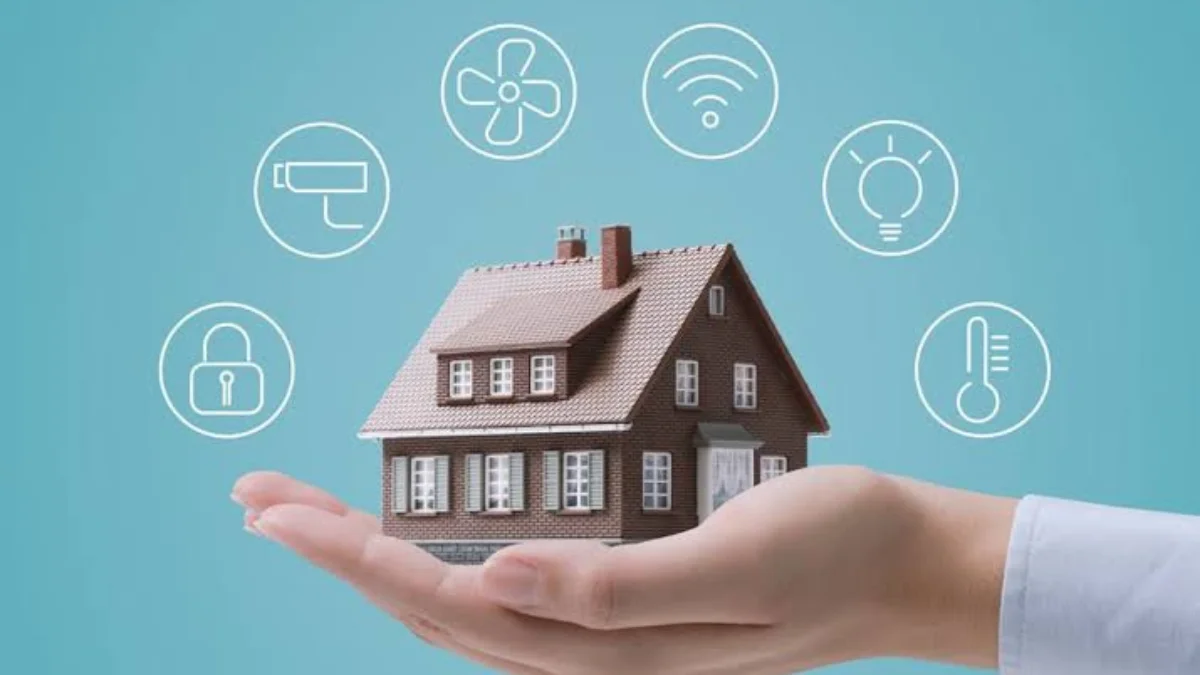
A smart home is a house equipped with internet-connected devices that can be controlled remotely through a smartphone, tablet or voice assistant. These devices include smart lighting, thermostats, security cameras, plugs, doorbells and entertainment systems. They communicate with each other to automate everyday tasks, making your home more convenient, efficient and secure. As technology continues to improve, smart homes are becoming more affordable and easier for beginners to set up.
This Beginner Smart Home Guide is designed to help anyone understand the basics of smart home technology without technical knowledge. Whether your goal is to reduce energy bills, improve home security or simply enjoy greater convenience, starting with the right information makes the process much easier. A well-planned smart home can grow with your needs, allowing you to add more devices over time without replacing your existing setup.
Why Follow a Beginner Smart Home Guide?
Buying your first smart home devices can be confusing because there are hundreds of products available from different manufacturers. Without proper planning, you may purchase devices that are not compatible with one another, leading to frustration and unnecessary costs. Following a Beginner Smart Home Guide helps you understand what to buy first and how to create a reliable smart home that works smoothly.
Planning your smart home before making purchases also allows you to stay within your budget while focusing on features that truly improve your daily life. Instead of buying every available gadget, you can start with a few essential devices and expand gradually. This approach saves money, simplifies installation and gives you enough time to learn how each device works before introducing more advanced automation.
Choose the Right Smart Home Ecosystem
Selecting the right ecosystem is one of the most important decisions when building a smart home. Popular platforms such as Amazon Alexa, Google Home and Apple Home each offer different advantages depending on your existing devices and personal preferences. Choosing one ecosystem at the beginning helps ensure all your devices communicate effectively and allows you to control your entire home from one application.
Modern technologies such as Matter and Thread are also making smart home devices more compatible across different brands. This means you are no longer restricted to purchasing products from a single manufacturer. A Beginner Smart Home Guide recommends checking compatibility before buying any device so your smart lighting, security cameras, plugs and thermostats all work together without unnecessary complications.
Essential Smart Home Devices for Beginners
Smart speakers are usually the best starting point because they act as the control centre for many connected devices. Combined with smart bulbs and smart plugs, they allow you to switch lights on and off, control appliances remotely and create schedules that make everyday routines much easier. These affordable devices provide an excellent introduction to smart home technology without requiring major installation work.
As your confidence grows, you can add more advanced products such as smart thermostats, video doorbells, indoor security cameras and outdoor surveillance systems. These devices improve home security while helping reduce energy consumption through intelligent scheduling and automation. Following this Beginner Smart Home Guide ensures you expand your system gradually rather than becoming overwhelmed with too many products at once.
How to Set Up Your Smart Home
Begin by identifying your priorities before purchasing any equipment. Some homeowners want greater security, while others are more interested in energy savings or entertainment. Once you understand your goals, choose compatible devices that support your preferred ecosystem. Install each device carefully according to the manufacturer’s instructions and ensure your home Wi-Fi network provides strong coverage in every room.
After connecting your devices, organise them into rooms using their mobile applications and create simple routines for daily activities. For example, you might schedule lights to switch on automatically during the evening or set your heating to activate before you return home. A Beginner Smart Home Guide always recommends updating device firmware regularly because software updates improve both security and performance.
Create Simple Smart Home Automations

Automation is one of the biggest advantages of owning a smart home because it removes the need for repetitive manual tasks. You can create a morning routine that gradually turns on bedroom lights, starts your favourite music and provides weather updates through your smart speaker. These simple automations save time while making your daily routine more comfortable and enjoyable.
Evening routines are equally useful because they help prepare your home for relaxation and security. With one command, your lights can dim automatically, doors can lock, security cameras can activate and the thermostat can adjust to a comfortable temperature. As explained throughout this Beginner Smart Home Guide, starting with simple automations makes it easier to understand how more advanced routines work later.
Smart Home Security and Privacy Tips
Protecting your smart home is just as important as choosing the right devices. Every account connected to your smart home should use a strong, unique password along with two-factor authentication whenever available. These simple security measures significantly reduce the risk of unauthorised access and help protect your personal information from cyber threats.
Your home Wi-Fi network should also be secured using modern encryption and regular router updates. Purchase smart devices from trusted manufacturers that provide long-term software support and frequent security patches. This Beginner Smart Home Guide recommends reviewing privacy settings regularly to control what information your devices collect and share with cloud services.
Common Beginner Smart Home Mistakes to Avoid
One of the most common mistakes is purchasing smart devices without checking whether they are compatible with your chosen ecosystem. This often results in products that require separate applications or cannot communicate with one another. Spending a little time researching before making purchases can prevent expensive mistakes and create a much smoother smart home experience.
Another mistake is attempting to automate every part of the house immediately. Installing too many devices at once makes troubleshooting more difficult and increases the chances of configuration errors. A Beginner Smart Home Guide encourages beginners to start with one room, gain confidence using their devices and gradually expand throughout the home as their experience grows.
Tips for Expanding Your Smart Home
Once you have mastered the basics, you can introduce more advanced smart home technology including motion sensors, automated blinds, smart irrigation systems and robot vacuum cleaners. These additions increase convenience while creating more sophisticated automation routines that respond to your daily habits. Expanding gradually ensures each new device integrates successfully into your existing system.
Choosing products that support Matter gives your smart home greater flexibility for future upgrades because the standard improves compatibility across different brands. You should also continue monitoring your Wi-Fi performance as additional devices are installed. This Beginner Smart Home Guide recommends expanding one room at a time to maintain reliability while making your home smarter and more efficient.
Conclusion
Building your first smart home is much easier when you begin with a clear plan and realistic expectations. By following this Beginner Smart Home Guide, you can select compatible devices, choose the right ecosystem and create useful automations that improve convenience, comfort and home security. Starting with a few essential products allows you to learn confidently without unnecessary expense.
Smart home technology continues to evolve, making connected living more accessible than ever before. As you become familiar with your devices, you can expand your system to include advanced automation, energy-saving features and enhanced security solutions. With careful planning and regular updates, your smart home will remain reliable, efficient and ready to meet your future needs.
Frequently Asked Questions
What is a smart home?
A smart home uses connected devices that can be controlled through apps or voice assistants.
What devices should beginners buy first?
Start with smart speakers, smart bulbs and smart plugs for an easy setup.
Which smart home ecosystem is best for beginners?
Amazon Alexa, Google Home and Apple Home are all excellent beginner-friendly options.
Do smart home devices require Wi-Fi?
Yes, most smart home devices need Wi-Fi for full functionality.
Can I mix different smart home brands?
Yes, many devices work together using standards like Matter.
Are smart home devices secure?
Yes, if you use strong passwords, enable two-factor authentication and keep devices updated.
How much does it cost to start a smart home?
You can start with a few affordable devices and expand over time.
How can I make my smart home more energy efficient?
Use smart thermostats, lighting schedules and smart plugs to reduce energy use.